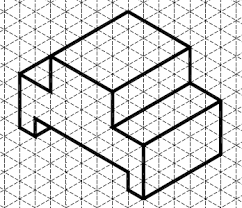
Intro To Engineering Posted on September 12, 2026 by Sarah LaMarcheJune 5, 2026 Example Portfolio Week 5 | Sept 14 - Sept 18 Thur | Sept 17 Welcome to Class! It's GR8 to See YOU! To start off we need to do the following: Create your Isometric Name in Fusion If you are done click HERE to get info on exporting your file to be printed Then go to the slide to start the isometric challenge Update Week 5 in "Engineering Today" make sure you have daily comments and links to sketches View Full Page Wed | Sept 16 Welcome To Class - Wednesday's Work: Review what are 3D printers and how are they used? Work to finish ISOMETRIC sketch of your first name with dimensions Take a picture and add link of picture to "Engineering Today" Click HERE to finish any of the Fusion Starter Challenge shapes Work to get your first name sketched in Fusion View Full Page Tue | Sept 15 Welcome to Class! We are going to circle back to ISOMETRIC SKETCHING: Work to finish ISOMETRIC sketch of your first name with dimensions Take a picture and add link of picture to "Engineering Today" Click HERE to work on Fusion Starter Challenges - Make sure to put links to you completed challenges into your "Engineering Today" View Full Page Mon | Sept 14 Welcome to Class! Today's FUSION FUN: 1st we need 10 mins to update our "Engineering Today" most of us did not have time Friday to do this Log into Fusion and get to know your surroundings Click HERE for a slide deck with links to videos to help you learn FUISION BASICS and then FUN FUSION CHALLENGES Take Screenshots of your challenge work and add link to "Engineering Today" View Full Page Fri | Sept 18 **Data Day** View Full Page